
VIRTUAL REALITY INSTRUCTIONS
FOLLOW THE 5 STEPS BELOW
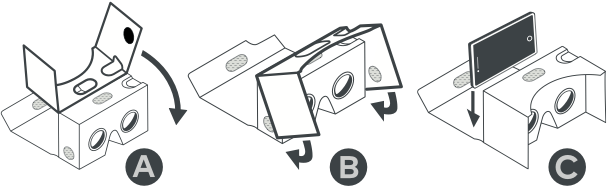
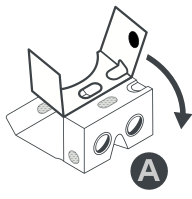
STEP 1
- Remove VR Goggles from cardboard case
- Un-Velcro and open up all pieces so they are loose
- Open up side flaps
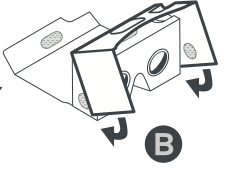
STEP 2
- Fold over side flaps to cover lenses so top Velcro lines up with oval cut out
- Velcro each side flap to form a side visor for VR goggles
STEP 3 - Download YouTube App to your smartphone
STEP 4 - Return to this page once App download is complete to continue
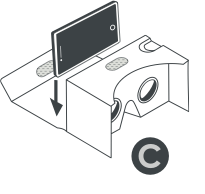
STEP 5
- Click button below to start VR tour
- Once in VR tour click VR mode icon (example below)
- Place phone on rubber band facing towards lens and hit continue and close VR cover
- Press button on top left of VR goggles to play and pause